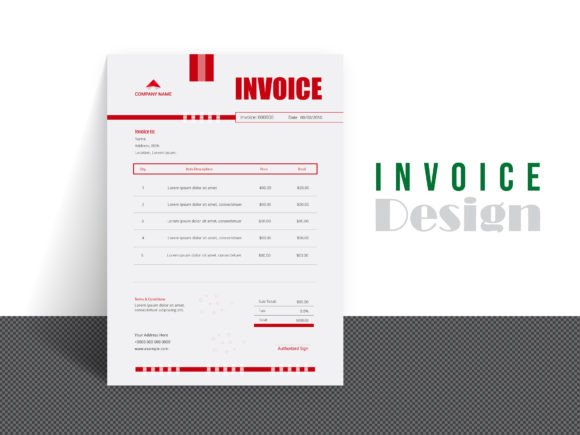
Streamline Your Business with Professional Invoice Design
Getting paid shouldn't be the hardest part of your job. Yet, for many freelancers and small business owners, the invoicing process is often an afterthought—rushed, inconsistent, and unprofessional. A well-crafted invoice does more than just request payment; it reinforces your brand, clarifies the scope of work, and establishes a foundation of trust with your clients. This is where a Professional Invoice Design template becomes an indispensable asset, transforming a mundane administrative task into a seamless extension of your creative or professional service.
More Than Just a Bill: The Anatomy of a Professional Invoice
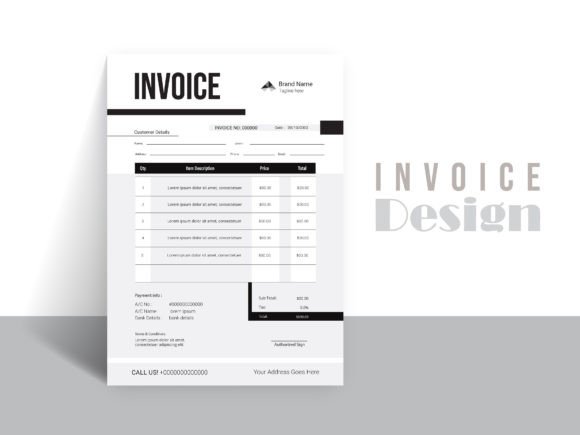
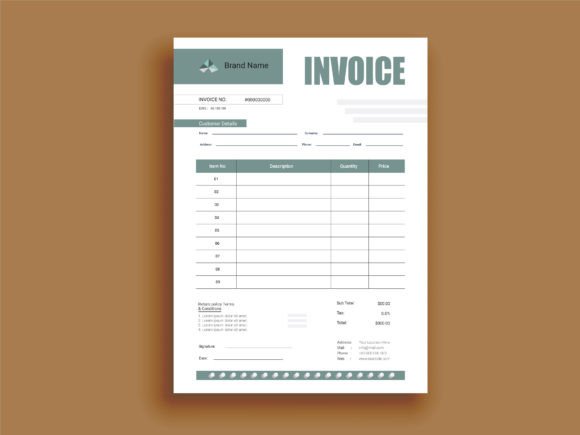
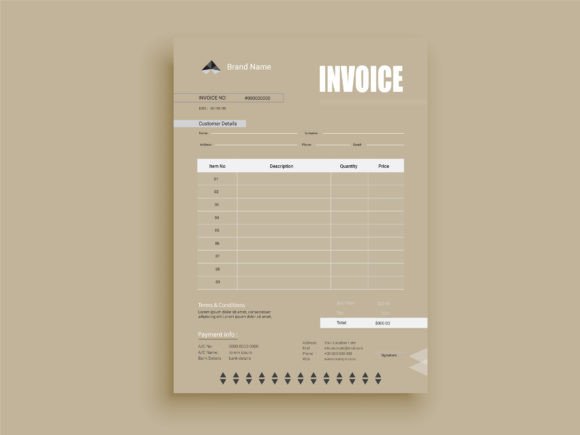
A professional invoice is a critical piece of your brand identity. Its visual characteristics should mirror the quality and attention to detail you bring to your primary work. Think of it as a mini-project in itself. The overall appeal lies in its clarity, organization, and clean aesthetic. A well-designed template uses a clear visual hierarchy, guiding the client's eye from the most important information—your business name, the invoice number, and the total amount due—to the supporting details like itemized services, payment terms, and contact information.
The personality of a strong invoice design is one of confidence and reliability. It avoids overly playful or distracting script fonts or handwritten fonts for crucial data, instead opting for highly legible sans serif fonts or clean serif fonts. The style is functional first, but that doesn't mean it's boring. Subtle use of color, strategic white space, and a well-organized layout can make the document feel modern and approachable. The goal is to create a document that feels both authoritative and easy to understand, ensuring there are no questions or delays when it's time for your client to pay.
Practical Applications: Where This Template Shines
The utility of a versatile invoice template extends across nearly every industry and profession. For the graphic designer or web developer, it’s the final, professional touchpoint on a branding or web design project. For the photographer or crafter, it provides a clear record of sessions, prints, or custom orders. Marketers and consultants can use it to break down complex project phases and deliverables with absolute clarity. Even for bloggers and content creators working with sponsors or clients, a clean invoice solidifies the business side of creative partnerships.
This particular Professional Invoice Design is built for real-world use. Its A4 size with bleed makes it print-ready for physical mailings or high-quality PDFs, while its clean structure ensures it looks just as sharp on a screen. The well-organized layers and editable color mode mean you can effortlessly adapt it to match your existing brand identity—whether that’s a bold, modern palette or a more subdued, corporate feel. Because it uses vector design elements, you can scale any component without losing quality, ensuring your logo and other graphics remain crisp. This template isn't just a file; it's a flexible design asset that works as hard as you do.
Key Features for Seamless Customization
What makes this template a standout tool in your business kit? It’s built with the user in mind, eliminating the technical headaches that can come with premium font files or complex software. The core features are designed for efficiency and professional output.
- Multi-Software Compatibility: The included AI file (Adobe Illustrator), EPS file, and Word file offer flexibility. Work in the software you're most comfortable with, whether it's a full creative font suite or a standard office program.
- Print-Ready Quality: At 300 DPI and set up with bleed, the file is ready to be sent directly to a printer or exported as a high-resolution PDF for digital use. This eliminates guesswork and ensures a professional finish.
- Fully Editable Design: Every element is customizable. Change colors to match your brand, swap out free fonts used for your own preferred typeface, and rearrange sections to fit your specific billing needs. The well-organized layers make this process intuitive.
- Scalable Vector Elements: The vector design means logos and graphic elements can be resized to any dimension without pixelation. This is crucial for maintaining a sharp, professional image across different applications, from a small digital invoice to a large printed statement.
Integrating the Invoice into Your Workflow
Adopting a Professional Invoice Design is about more than aesthetics; it's about systematizing your business for growth. By using a consistent template, you create a recognizable touchpoint for clients, which builds trust and reinforces your professionalism. It streamlines your administrative process, saving you valuable time that could be better spent on creative or revenue-generating work.
When evaluating this or any template, consider how it fits with your existing design assets. Does the default style align with your brand's voice? Test the font pairing—does the combination of a display header and body text offer clear readability? While the template uses excellent free fonts, you have the freedom to substitute them with your own commercial font choices to further solidify your brand's unique look. The key is to choose a foundation that is both functional and adaptable, ensuring your invoicing process is as polished and professional as the work you deliver.
Ultimately, a clear, well-designed invoice is a reflection of a clear, well-run business. It tells your client that you value their partnership and take every aspect of your service seriously. By leveraging a customizable and print-ready template, you equip yourself with a tool that not only helps you get paid from your client efficiently but also strengthens your professional reputation with every project you complete.